
Music · iOS
Free · Requires iOS 17.0 or later
Offline Music Player MP3 Audio
Offline Music Player plays music you already have. Import your MP3, WAV, AAC and FLAC files, let the app organise them into a library, build playlists, and shape the sound with a ten-band equalizer. Playback continues in the background and on the lock screen.
If your music lives as files rather than in a streaming subscription, you need a player that just opens them. This one imports the audio on your device, sorts it into tracks, albums and playlists, and plays it without asking you to sign in or go online.
Screenshots
Offline Music Player on iPhone
Screenshots as published on the App Store.
Features
What it does
Plays your own files
Import audio you already have and play it. There is no catalogue to subscribe to and nothing to stream.
Common formats
MP3, WAV, AAC and FLAC among others, so you are not stuck converting files first.
Automatic library
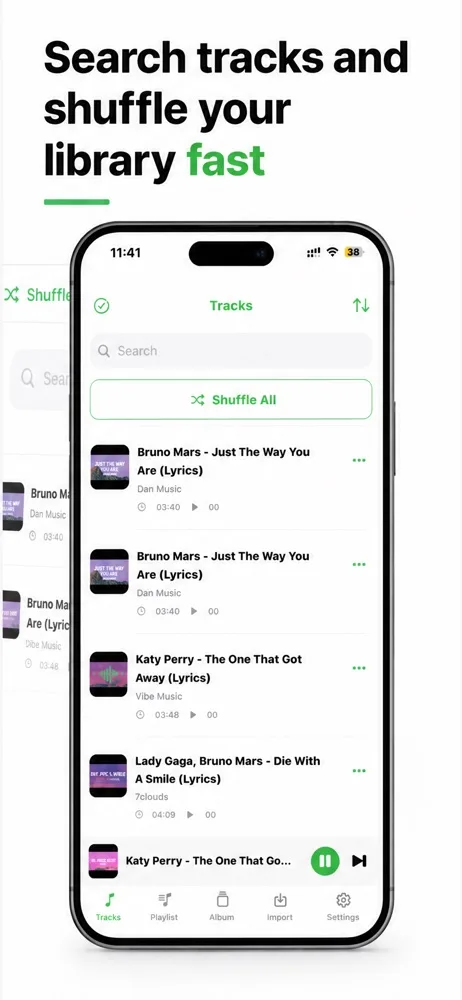
Imported audio is sorted into tracks, albums and playlists, with search across the lot.
Playlists
Group tracks the way you want and shuffle within a playlist or across everything.
Ten-band equalizer
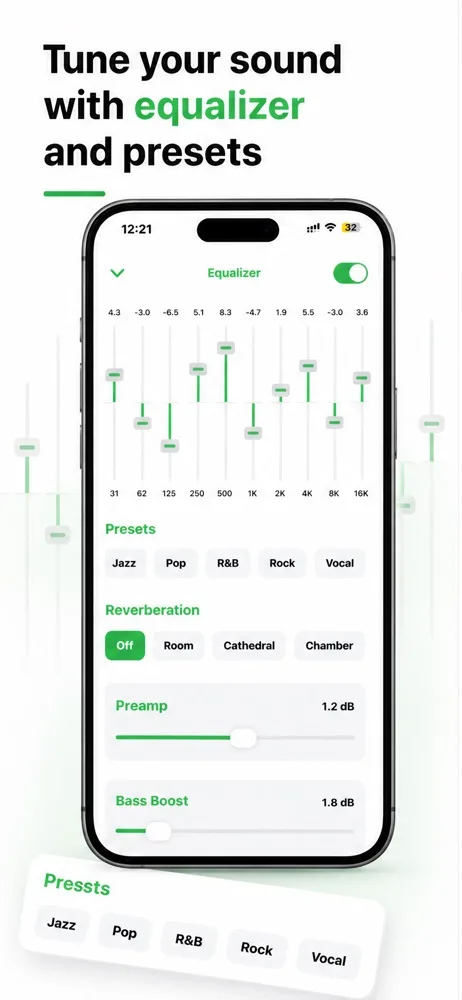
Genre presets, reverb settings, preamp and a separate bass boost for shaping the output.
Background and lock screen playback
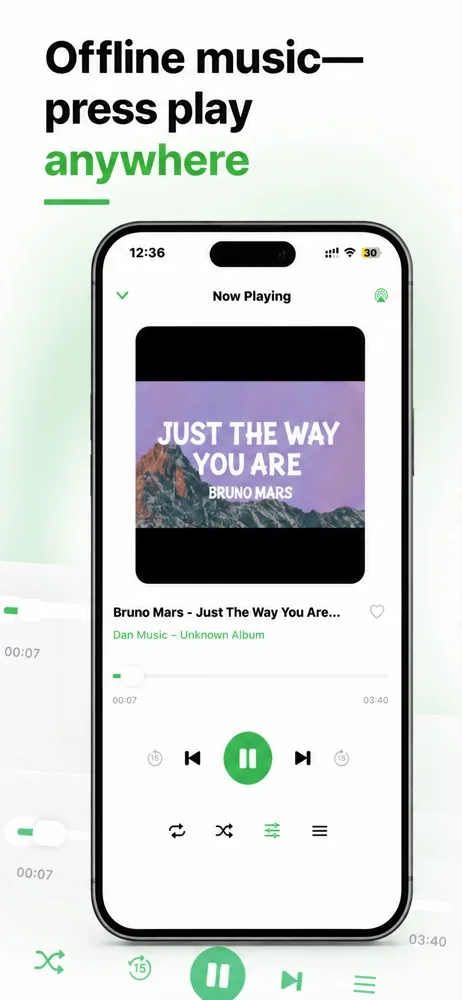
Music keeps going when you switch apps, with transport controls on the lock screen.
No connection required
Playback works in aeroplane mode, on the underground, or anywhere with no signal.
How it works
Getting started
- 1
Import your audio
Bring in files from the Files app, from another app, or from your device storage using the import tab.
- 2
Let it organise
The app reads the files and sorts them into tracks and albums so you can find things.
- 3
Build playlists
Group what you want together, or just hit shuffle all.
- 4
Tune the sound
Open the equalizer, pick a preset or move the bands yourself, and adjust bass to taste.
Privacy
How this app handles your data
The short version. The full policy has the detail, including every third-party service the app uses.
Your audio files are read and played on your device and are not uploaded to PixelNest servers.
There is no account, no library sync, and no scanning of your music collection.
The app includes analytics, advertising and subscription SDKs that process technical and device information — separate from your audio files, and itemised in the Privacy Policy.
FAQ
Questions about Offline Music Player
Does this app come with music?
No. It is a player, not a streaming service. It plays audio files you already have on your device — it does not provide a catalogue and cannot download music for you.
How do I get music into the app?
Use the import option to bring in files from the Files app or from another app on your device. Once imported they appear in your library.
Which audio formats are supported?
Common formats including MP3, WAV, AAC and FLAC. If a file uses an unusual codec or has DRM protection it may not play.
Can it play music from Spotify or Apple Music?
No. Tracks inside a streaming subscription are protected and can only be played by that service's own app. This player works with audio files you hold yourself.
Are my music files uploaded to PixelNest?
No. Your audio files stay on your device and are read locally for playback. PixelNest does not receive, store or scan them.
Does it really work with no internet?
Playback does, yes — importing, browsing and playing your library all work offline. The advertising and analytics components in the app connect to their services when they run, so the app as a whole does make network requests.
Does music keep playing when I lock the phone?
Yes. Playback continues in the background and you get controls on the lock screen.
Will the equalizer settings stick?
Yes, your equalizer, reverb and bass settings persist between sessions until you change them.
What happens to my library if I delete the app?
Files imported into the app go with it. Keep your original audio files somewhere else — in the Files app or on a computer — if you want to keep them.
Something not covered? Get in touch or email help@pixelnest.co.in.
Learn more
Guides related to this app
Get Offline Music Player
Play the audio files already on your iPhone — no account, no streaming, no connection needed.
Free on the App Store · Requires iOS 17.0 or later