Productivity · iOS
Free · Requires iOS 17.6 or later
AI Essay Writer Assistant
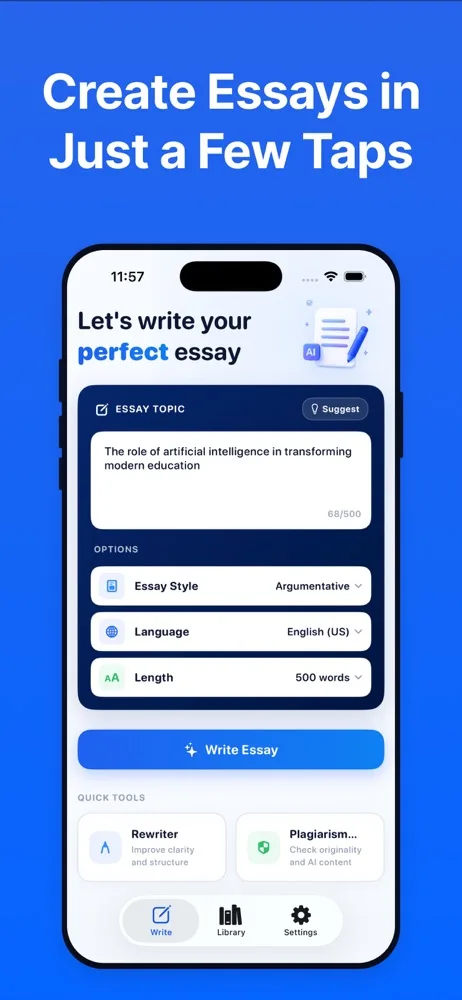
AI Essay Writer Assistant helps you get from a blank page to a working draft. Give it a topic, choose a style, length and language, and it produces a piece you can edit, rewrite, check for originality and export as a PDF.
This is a drafting tool, not a submit-and-forget button. You describe what you need, the app generates a draft through an AI provider, and then you do the part that matters: read it, correct it, cut what is wrong, and make the argument yours. Rewriting, expansion, shortening and an originality check are built in to support that editing pass.
Screenshots
AI Essay Writer Assistant on iPhone
Screenshots as published on the App Store.
Features
What it does
Several writing tools
Essays, paragraphs, summaries, poems, stories, novels and a standalone rewriter, each with its own setup screen.
Control the output
Set the style, tone, length and language before you generate, instead of accepting whatever comes back.
Multiple AI models
The app can route your request to different AI providers depending on the tool and model you pick.
Rewrite and reshape
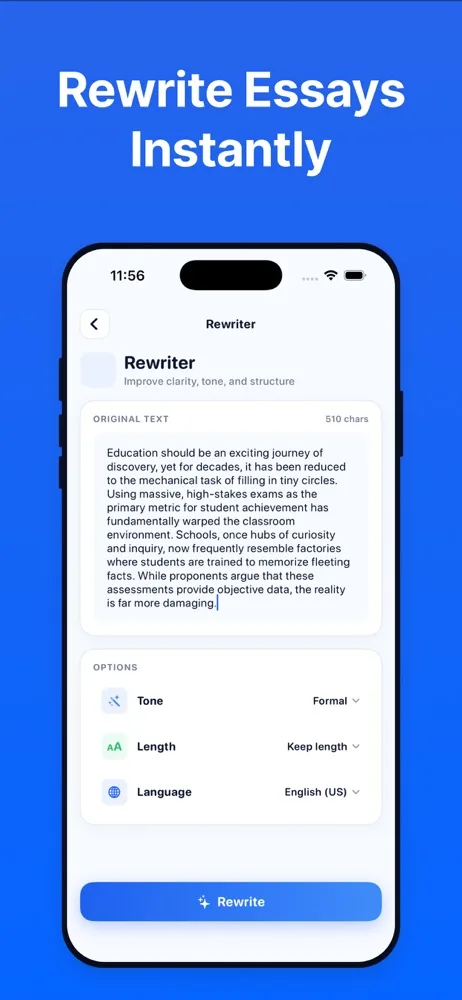
Take text you already have and rewrite, expand, shorten or simplify it without starting over.
Originality report
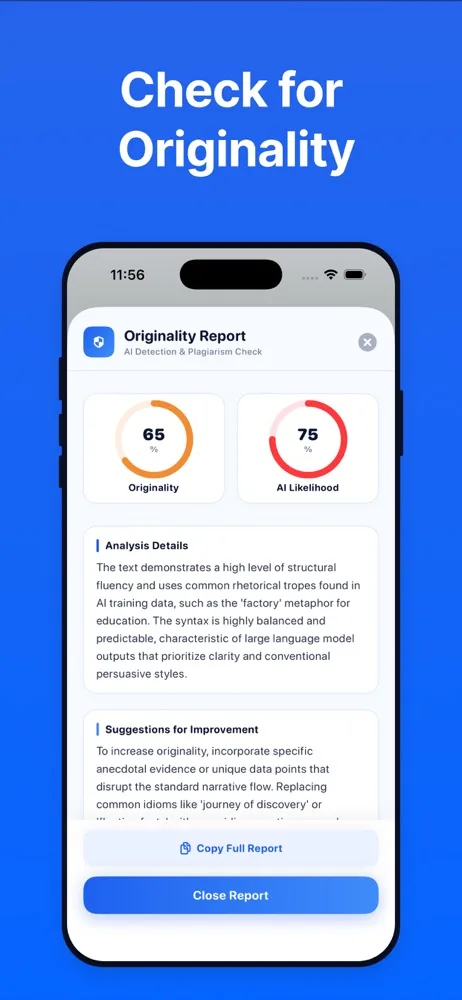
Run a draft through an originality and AI-detection check that returns scores plus notes on what makes the text read as machine-written.
Edit before you export
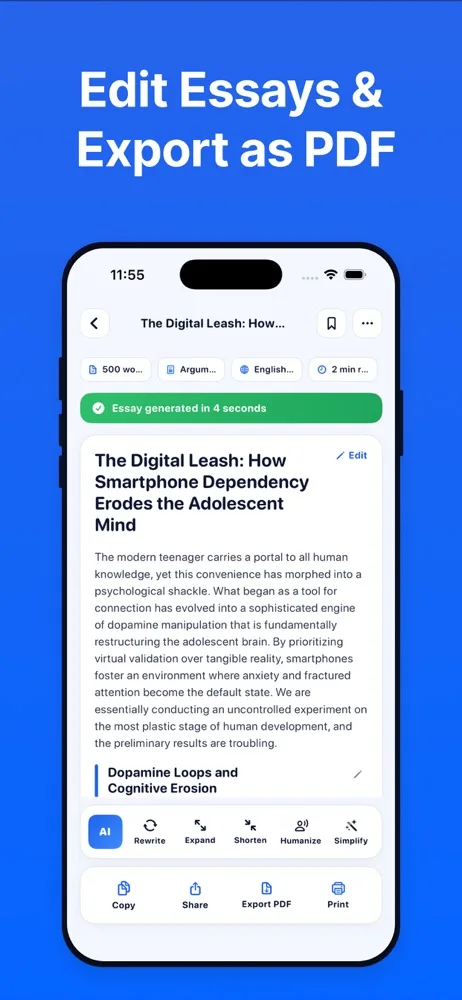
The generated piece opens in an editor so you can fix it properly rather than copying it out raw.
Export and share
Copy, share, print, or export a finished piece as a PDF.
Library and history
Bookmark pieces and go back through what you have generated before.
How it works
Getting started
- 1
Describe what you need
Enter a topic or paste the text you want reworked, then pick a tool.
- 2
Set style, length and language
Choose the tone and format before generating so the draft starts closer to what you want.
- 3
The request goes to an AI provider
Your prompt is sent from your device to the AI service behind the model you selected, which generates the response. See “How AI processing works” below.
- 4
Edit, check, export
Revise the draft in the editor, optionally run the originality check, then copy it out or export a PDF.
Privacy
How this app handles your data
The short version. The full policy has the detail, including every third-party service the app uses.
This app is not offline. Generating text requires sending your prompt to an AI provider.
Prompts travel from your device to the provider you selected. They do not pass through PixelNest infrastructure, and PixelNest does not store them.
PixelNest does not sell prompts, use them to identify you, or build profiles from them. Each AI provider handles what it receives under its own policies.
FAQ
Questions about AI Essay Writer Assistant
How does AI essay generation actually work?
You enter a topic and settings, and the app sends that prompt from your device to the AI provider behind the model you chose. The provider generates the text and returns it to the app, where it opens in the editor.
Are my prompts sent to an AI provider?
Yes — they have to be. Generating text requires transmitting your prompt to the service that produces the response. There is no version of this feature that keeps the prompt on your phone. What you type into the essay field leaves the device.
Which AI models are supported?
Depending on the tool and model you select, requests may be handled through OpenRouter, Google Gemini, Anthropic Claude or xAI Grok. The provider that handles a given request depends on your selection.
Does PixelNest read or sell my prompts?
No. Prompts go from your device to the AI provider; they do not pass through a PixelNest server. We do not sell prompts, do not use them to identify individual users, and do not build personal profiles from what you write. Each provider handles the data it receives under its own policies.
Is the generated content accurate?
Not guaranteed. AI models produce fluent text that can still contain wrong facts, invented sources and misattributed quotes. Treat every draft as unverified and check anything factual before you rely on it.
Can I edit the essay after it's generated?
Yes, and you should. The draft opens in an editor with rewrite, expand, shorten and simplify tools, and you can change any of it by hand.
What does the originality report tell me?
It returns an originality score and an AI-likelihood score along with notes on what makes the writing read as machine-generated. It is an indicator to guide your editing, not a verdict, and it is not affiliated with any institution's own detection tooling.
Can I use this for schoolwork?
That depends entirely on your school's policy, and those policies vary a lot. Many institutions allow AI for brainstorming and outlining but treat submitting generated text as your own as misconduct. Check the rules that apply to you before you use it for an assignment.
How do subscriptions work?
The app is free to download with a limited number of daily generations. A paid subscription unlocks unlimited use. Payment is charged to your Apple ID, renews automatically unless cancelled at least 24 hours before the period ends, and is managed in your App Store account settings.
Something not covered? Get in touch or email help@pixelnest.co.in.
Learn more
Guides related to this app
Get AI Essay Writer Assistant
Draft, rewrite and refine essays, summaries and stories with AI — then edit and export the result.
Free on the App Store · Requires iOS 17.6 or later